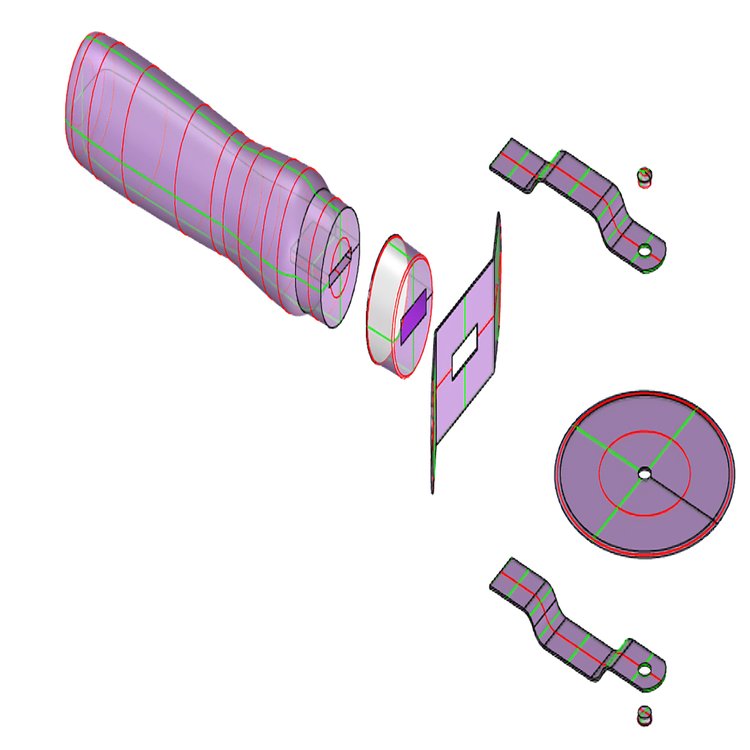
Gain interest in 3D design and learning how to use 3D modeling software.
Utilize 3D surface and 3D solid modeling tools to create and edit more complex designs.
Round out your foundational knowledge with 3D rendering and creating 3D printable models.
4 Modules
28 Hours
7 hrs per module (approx.)
Rating
About Introduction to 3D Modeling
On this four-week practical course from the University of Michigan, you’ll not only learn how to use the Rhino software to create your 3D models, but you’ll also gain basic design skills to help bring your imagination to life. This course will guide you through 3D modeling within Rhino, so you’ll cover the fundamentals of the software as well as 3D modeling in general. You’ll first look at how to navigate the user interface and the different tools that you’ll be using to create models throughout this course. You’ll familiarize yourself with the 3D space and 3D objects before jumping straight in to create your own objects and building blocks.
Design is a vital part of 3D modeling. You can be a master of the software but if you aren’t aware of fundamental design concepts, you won’t be able to truly unleash your potential. You’ll build your basic design skills by looking at line, shape, form, and space, before creating and editing 2D line forms that you’ll transform into patterned mandalas and 3D tile wall designs.
This course will guide you through the concept of profile modeling and will allow you to utilize 3D surface and 3D solid modeling tools to create and edit more complex designs. To round out your foundational knowledge, you’ll dive into 3D rendering and creating 3D printable models. Then, once you’ve completed each step of the course, you can bring your newfound skills together into one final 3D modeling project.
This course has been designed for anyone interested in 3D design and learning how to use 3D modeling software. You don’t need any previous knowledge or experience to benefit from this course. It will be particularly useful to Architects, Designers, Engineers, or anyone studying in these fields.
Skills You'll Gain
3D Assets
3D Modeling Software
Additive Manufacturing
Computational Design
Data Structures
Debugging
Python (Programming Language)
Rhinoceros 3D
What You'll Earn
Certificate of Completion:
Certificates of completion acknowledge knowledge acquired upon completion of a non-credit course or program.
Experience Type
100% Online
Format
Self-Paced
Subject
Information Technology
Platform
Coursera
Welcome Message
Welcome to Introduction to 3D Modeling, an introductory course focused on building foundational skills in 3D modeling using Rhinoceros. Designed for beginners, this course emphasizes learning modeling software as a practical design tool for architectural, industrial, and related fields. Through guided tutorials and hands-on assignments, you will develop skills in 2D drawing, 3D solid and surface modeling, and basic rendering to support creative design workflows.
This abbreviated syllabus description was created with the help of AI tools and reviewed by staff. The full syllabus is available to those who enroll in the course.
Course Schedule
Module 1: The Building Blocks
Video: course introduction
Reading: syllabus
Reading: how to set up your environment
Discussion Prompt: what you can use these skills to do
Reading: zip file for the assignments
Reading: help us learn more about you!
Video: what is a 3D space?
Video: what are 3D objects?
Video: introduction to user interface
Video: getting help
Video: viewports and cPlane basics
Video: the gumball and selecting objects
Video: solid object creation
Video: building blocks
Video: building block examples
Video: outputting images
Reading: 1.1 instructions
Reading: 1.1 self- assessment rubric
Reading: giving and receiving feedback
Reading: introduction to the gamut gallery
Video: boolean modeling and figured space
Video: more gumballs
Video: object snaps and transforms
Video: the boolean tool
Video: boolean modeling: example
Video: the clipping plane
Reading: 1.2 instructions
Reading: 1.2 self- assessment rubric
Discussion Prompt: end of week discussion
Graded: 3D space
Graded: 3D objects
Graded: building blocks
Graded: 1.1 gallery tool
Graded: boolean modeling and figured space
Graded: 1.2 gallery tool
Module 2: 2D Drawings
Reading: zip file for the assignments
Video: 2d shapes and mandalas
Video: 2D shapes creation and editing
Video: trim | join | explode
Video: mirror transformation
Video: surface from planar curves
Video: polar arrays
Video: object properties and layers
Video: mandalas: example
Reading: 2.1 instructions
Reading: 2.1 self- assessment rubric
Video: lines, curves, and extrusions
Video: 3D tiling and extrusions
Video: lines, polylines, curves, and arcs
Video: curve editing
Video: the essential six: offset, trim, join, explode, extend, fillet
Video: using a bitmap underlay
Video: 3D tile: example one
Video: 3D tile: example two
Video: bonus: modeling the block M
Reading: 2.2 instructions
Reading: 2.2 self- assessment rubric
Discussion Prompt: end of week discussion
Graded: shapes and mandala
Graded: 2.1 gallery tool
Graded: lines | curves | extrusion
Graded: 2.2 gallery tool
Module 3: Object Modeling
Reading: zip file for the assignments
Video: profile modeling
Video: what is a surface?
Video: more cplane
Video: revolve
Video: sweep 1
Video: sweep 2
Video: revolve: example 1
Video: revolve: example 2
Reading: 3.2 instructions
Reading: 3.2 self- assessment rubric
Video: object modeling
Video: project and pull
Video: curves from objects
Video: trimming surfaces
Video: project object snaps
Video: cutter: bitmap scaling and regulating lines
Video: cutter: handle
Video: cutter: cap
Video: cutter: cutting wheel
Video: cutter: arms
Video: cutter: pin
Video: cutter: guard
Video: cutter: label
Reading: 3.3 instructions
Reading: 3.3 self- assessment rubric
Discussion Prompt: end of week discussion
Graded: profile modeling
Graded: surface modeling
Graded: 3.2 gallery tool
Graded: object model fundamentals
Graded: 3.3 gallery tool
Module 4: Surface Modeling
Reading: zip file for the assignments
Video: surface modeling
Video: lofting
Video: lofting example: drinking glass
Video: surface filleting and blending
Video: surface from edge curves
Video: patch surfaces
Video: surface from network of curves
Reading: 4.1 instructions
Reading: 4.1 self- assessment rubric
Video: tree form pavilion
Video: tree form pavilion: trees
Video: tree form pavilion: surface
Video: tree form pavilion: tessellation
Video: tree form pavilion: connection and multipipe
Video: tree form pavilion: applying materials
Video: Tree Form Pavilion: Alternative Methods
Video: 3D printing file preparation
Video: course conclusion
Discussion Prompt: end of week discussion
Reading: 4.2 instructions
Reading: 4.2 self- assessment rubric
Reading: attributions & credits
Discussion Prompt: end of course discussion
Reading: post-course survey
Graded: more surface modeling
Graded: 4.1 gallery tool
Graded: 4.2 gallery tool
Grading Policy
Learners must complete all graded assignments to pass the course. Final grades are based on cumulative performance across modeling assignments and gallery submissions. Modeling Assignments (3D space, objects, building blocks, boolean modeling, shapes, curves, profiles, and surfaces) are worth approximately 72% of the final grade; Gallery Tool Submissions are worth approximately 28% combined.
No instructors specified.
Beginner Level
No prior experience required
Course Video
Enrollment Options
Individuals
This experience is available to individual learners on the following platforms:
U-M Community
Students, faculty, staff, and alumni of the University of Michigan get free access.
Organizations
Special pricing and tailored programming bundles available for organizational partners.
Reviews and Ratings
4.2
42 Ratings from Coursera
Michigan Online For You
Sign up for a Michigan Online account to customize your experience!